Posts

Showing posts with the label programming

T-SQL: Prudent use of Select ... As

Every database developer using T-SQL will agree that the Select ... As feature allows one to easily grab values into a variable. However, after I got my fingers burnt recently, I had to share this to remind everyone how important it is to exercise prudence with its usage. Given the table below, assuming its an SQL table named Students. Id Name Age Class 1 Fade Ayomi 10 5 2 Oluwayomi Ojo 9 6 3 Kemi Mide 8 4 And given the SQL statements below which performs certain operations on the table given above declare @ StudentAge int ; select @ StudentAge = Age from Students where Id = 1 ; set @ StudentAge = Age * 2 ; select @ StudentAge = Age from Students where Id = 5 ; select @ StudentAge as AgeSelected; So what would AgeSelected resolve to according to the provided information? Ordinarily, one would expect AgeSelected to be NULL however, since @StudentAge carried a value initially, and the row described in the where clause do not exist in the table, @Stud...


Determine Appropriate Font-Size for Text iTextSharp

Image
Background: I use CorelDraw a lot to lay out my reports before writing the iTextSharp code to generate them. It gives me a fair idea of how to position report elements and keeps me from doing guesses or trial and error. This was the case when I worked on the ID Card project for Delta State University: I had the ID card neatly laid out and the school loved the design. Issue: Now, everyone knows we normally have long names in Nigeria. My design template had a name that was 10 characters long and I used 28pt points for this text. What I wanted to achieve however is that, for names that will not be able to fit into the maximum space allowed for the name text at the 28pt used in the design template, the system should use the maximum font size that will permit the name to fit in the space available. Its a simple problem, but wasn't so easy to resolve. Solution: public Font GetSafeFont ( string DisplayText, Font FontToUse, float SafeLength, float StartingSize) {...

Consume ASP.NET Web API Using PHP and JQuery

Image
Background Whether it is shortage of required skills, platform unavailability or even laziness, anything could make you want to cut some corners in development. And please get me right, by cutting corners I do not mean writing code that is cumbersome and difficult to maintain or leaving out important possible outcomes to favour low turnaround times. There's this popular quote that drives this best practice home: Always code as if the person who ends up maintaining your code is a violent psychopath who knows where you live. Issue We had this project I was working on with a team. Its kind of like a payment aggregator, functioning in similar manner as your regular payment gateways like Paypal, UPL, Interswitch. You can find the project here ( a1pay.net ). I was the front-end guy, which meant that I was basically responsible for presentation. However, in a twist of events, I was also saddled with handling the POST request from our 3rd party payment gateways, consume an alrea...

Get Creative With Data Tables: Row Click Events

Image
Introduction Datatables from datatables.net are so lovely, especially with the responsive extension that you can enable by including dataTables.responsive.js in your project. I particularly find fascinating the combination of search / filtering, pagination, ordering and exporting features which are available right 'out-of-the-box'. Issue Well, as great as datatables are, you will find it difficult if not impossible to develop a system with acceptable user-experience using bare-bone datatables implementation. In my own case, because I was porting my superb Asset and Inventory Management Application found at asset.bz to the mobile platforms using PhoneGap, I needed the user to be able to tap on any record in order to perform some pre-define operations like editing, approvals etc. Solution Apparently, the solution isn't far fetched. The sample code below would do the job nicely: // HTMLTableData is your array of records to be displayed in the data table ...

Add Custom Controls To DataTable Rows

Image
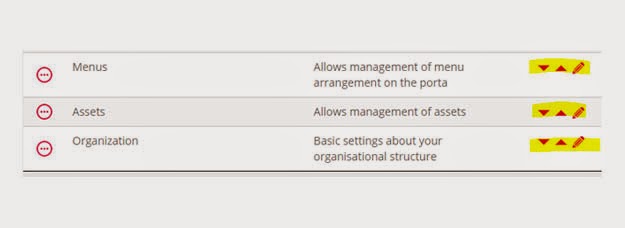
Background: datatables.js is a very awesome tool that enables data to be presented in tabular format (ASP.Net developers prefer to call this grid). Its currently the best free data-to-table tool available (my personal opinion). Since I ran into it, I immediately got stuck and cannot but use it in each of my projects. Issue: There are several issues with datatables.js. Many of them however stem from knowledge gap, because the tool is quite robust, it would take a long time to exhaust the documentation and fully learn the plugin. In my own case, I wanted to add custom controls to each datatable row. These three controls would be for ordering the row and editing the record. Solution: We would need images to use as these controls. I normally get images online sometimes. Although, I find it easier to create simple icons using CorelDraw. After fetching your data, simply loop through each item to add the html tag for your control image to the element. Finally, render the datatabl...

Enabling Write Access to A folder in IIS

Image
Issue Sometimes in web development, we may want to grant WRITE access to a folder probably for file upload purposes or mostly in my own case, PDF file generation purposes. The challenge however, is that all folders are read only which means your application will always throw errors whenever you attempt a write operation. Solution Locate the folder in windows explorer Right click on the folder and select properties In the securities tab, click edit, then click add in the new dialog box that shows up Type IIS AppPool\ApplicationPoolName (you need to replace ApplicationPoolName with the name of the application pool in IIS that your web app is running under) Click Check Names to resolve the name, then click Ok  Under permissions for ..., check Modify under allow.  Click Ok on all dialog boxes Note Some people will grant Modify or Full Control right to Everyone for the folder, note that this posses a huge security risk and should never be your approach to r...

Sweet Summernote

Image
Background If you ever wish to add WYSIWYG functionality to your web project, summernote.js is probably your best bet! It will convert your textarea control to a fully functional WYSIWYG control with ability to gain access to the content of the control in HTML format. Implementation To change a simple textarea control to a WYSIWYG control, $( '#summernote' ).summernote(); To fetch the HTML content of the control: var sHTML = $( '.summernote' ).code(); Wishing you all the best as you try this out.

Using AngularJs $index

Image
Background Today I had a set if divs I created using AngularJs ng-repeat. My challenge was that there was a button in each div that triggered a modal pop-up when clicked. The content of the modal was supposed to be updated from the corresponding element that generated the particular button that was clicked. Hmm... Solution Taking advantage of the ng-click attribute and $index, I added this to the button element ng-click="SetSelected($index)" $index is a powerful reference that allows us to pass the index of the element that generated the current control to a function.  That way, I was able to fetch the correct element from the original array of elements that generated the set of controls!  Isn't Angular sweet?

Date Comparison: datejs Hang!

Image
Background I've always had issues working with diverse date formats using javascript till when recently I found this great resource at www.datejs.com . It was a welcome relief as it could parse almost all the date formats I wanted to parse. Today, however, I ran into a snag! The .isAfter() function stated in the datejs documentation wasn't just working for me. I kept getting error "method not found". Solution After lots of trial and research, I found out that the link posted on the datejs website most recent build is actually not the most recent build and several methods were not available in that. In case you have a similar issue, please download the most recent build from http://www.datejs.com/build/date.js and get your headache alleviated totally! It worked for me.

Multiselect Magic

Image
Background: I had this clever multiselect control for listing items that the user could select many entries from at any given time. I even made it look cool by implementing the Bootstrap Multiselect Plugin by David Stutz. However, when it was time to fetch the values of selected elements, I thought of looping through the elements to pull their values into an array. This would be inefficient and consume a lot of overhead! Solution: Turns out simply calling the javascript val() function on a multiselect returns an array of all values selected! e.g $('#selProgrammes').val() could return ["1", "2", "4", "6"] for example. Isn't it cool!

Almighty Grep

Image
Background I used to know the grep command in Linux as a powerful file searching utility. Its so powerful that it even helps search the content of files. I had a challenge today, I needed to populate a select control with the ordinals of certain numbers, precisely the number of floors in a building. Because I already have the number of floors in a public variable which is an array object, I do not wish to reach out to the server to fetch this value again, in order to save execution time; especially for end users with slower links. Solution $scope.Hostels is my public array object and it has the following structure: { "ID": 1, "ClientiD": 2, "HostelName": "sample string 3", "HostelLocationID": 4, "Description": "sample string 5", "Gender": "sample string 6", "Cordinate": "sample string 7", "Istertiary": true, "IsSecondary": true, ...